
Salesforce releases are exciting and overwhelming. Every year we receive three major releases, each packed with hundreds of pages of new features, enhancements, beta capabilities, security updates, and platform improvements. The natural reaction is to ask, “How am I supposed to keep up with all of this?”
For many Salesforce professionals, release notes become something we bookmark with good intentions and rarely revisit. We skim a few sections, attend a release webinar, and move on to the next sprint. The result is that valuable features are often missed, while teams continue maintaining custom solutions that Salesforce has already improved.
The real challenge is not the volume of features. The challenge is that most teams do not have a framework for deciding which updates deserve attention. In enterprise environments, we rarely need to adopt everything. What matters is identifying the small number of features that create measurable value for our users, our developers, and our organization.
Over time, I’ve found that every Salesforce release can be evaluated through five practical questions. This approach helps cut through hundreds of pages of documentation and focus on the updates that actually matter.
A typical Salesforce release includes updates across Sales Cloud, Service Cloud, Platform, Flow, Security, Analytics, AI, Integration, Mobile, and Industry Clouds. Different teams naturally focus on different sections, which often means no one has a complete picture of what could benefit the organization.
The mistake many teams make is trying to read the release notes feature by feature. That approach takes hours and usually leads to information overload. Instead, I prefer evaluating each feature through a business and technical lens.
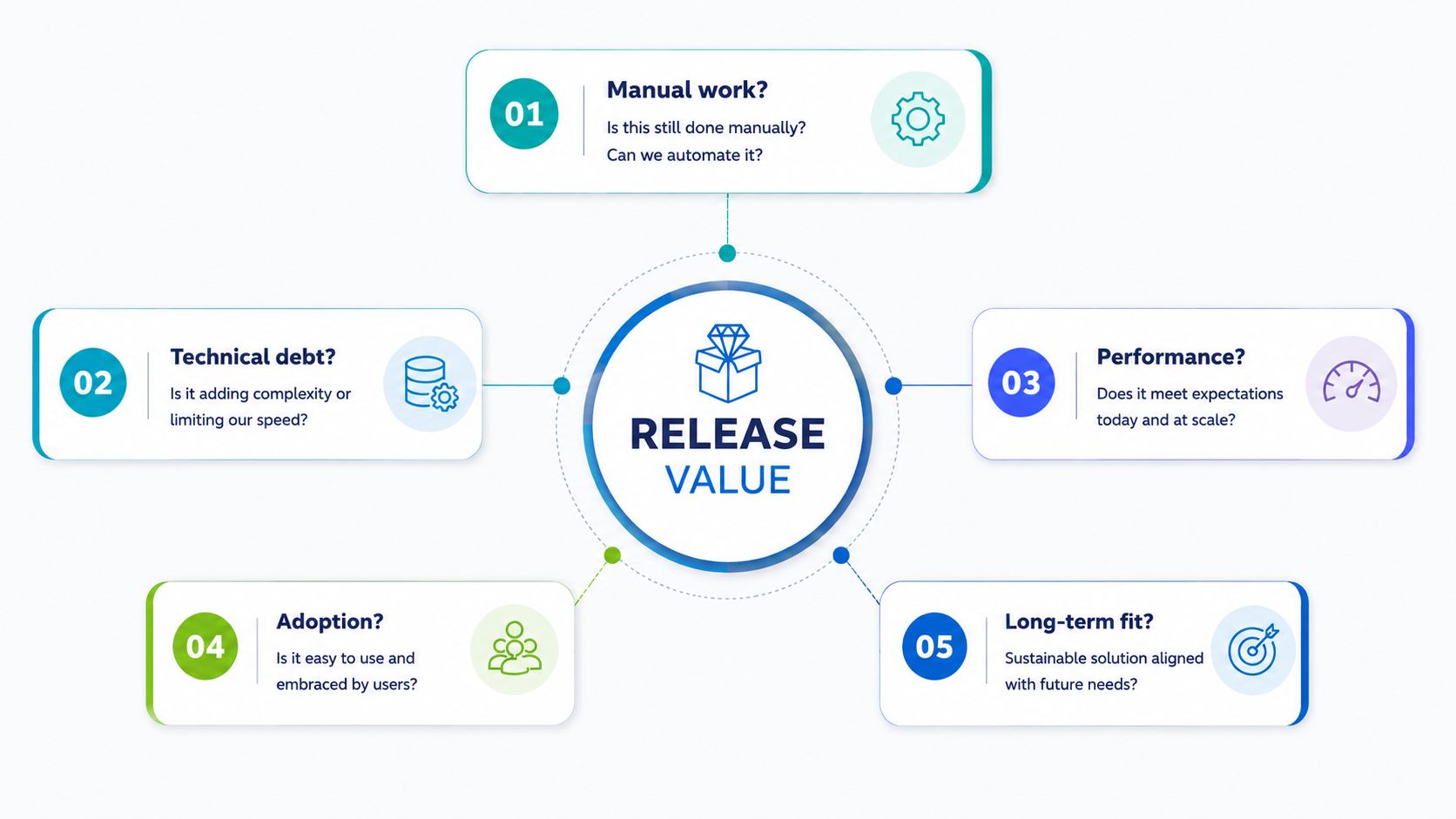
This is always my first question because it usually provides the fastest return on investment.
Look for features that eliminate repetitive administrative effort, simplify approvals, automate notifications, improve Flow capabilities, or reduce the number of clicks users perform every day.
Examples include:
Even a feature that saves two or three minutes per transaction can have a significant impact when multiplied across hundreds or thousands of users.
Technical debt is one of the biggest hidden costs in Salesforce organizations. Every custom Apex class, Lightning component, Visualforce page, or workaround requires maintenance, testing, and deployment effort.
When reviewing release notes, I pay close attention to features that allow us to:
A release that allows us to remove custom code is often more valuable than a release that adds a brand-new capability.
Performance improvements rarely appear in marketing headlines, but they become extremely important in production environments.
I look for updates related to:
These enhancements help organizations scale without constantly increasing development effort.
A technically impressive feature has limited value if users avoid Salesforce because it feels slow or complicated.
Features that improve adoption usually involve:
These are the features users notice immediately, and they often generate the highest business satisfaction.
This is the most strategic question.
Salesforce is clearly investing in Agentforce, Data Cloud, Flow, AI-powered productivity, and API-first architecture. Even if your organization is not adopting these capabilities today, understanding them helps shape future roadmaps and prevents short-term design decisions that conflict with Salesforce’s long-term platform direction.
Architecture Principal : “A release that allows us to remove custom code is often more valuable than a release that adds a brand-new capability.”
Every organization is different, but these categories consistently deserve attention.
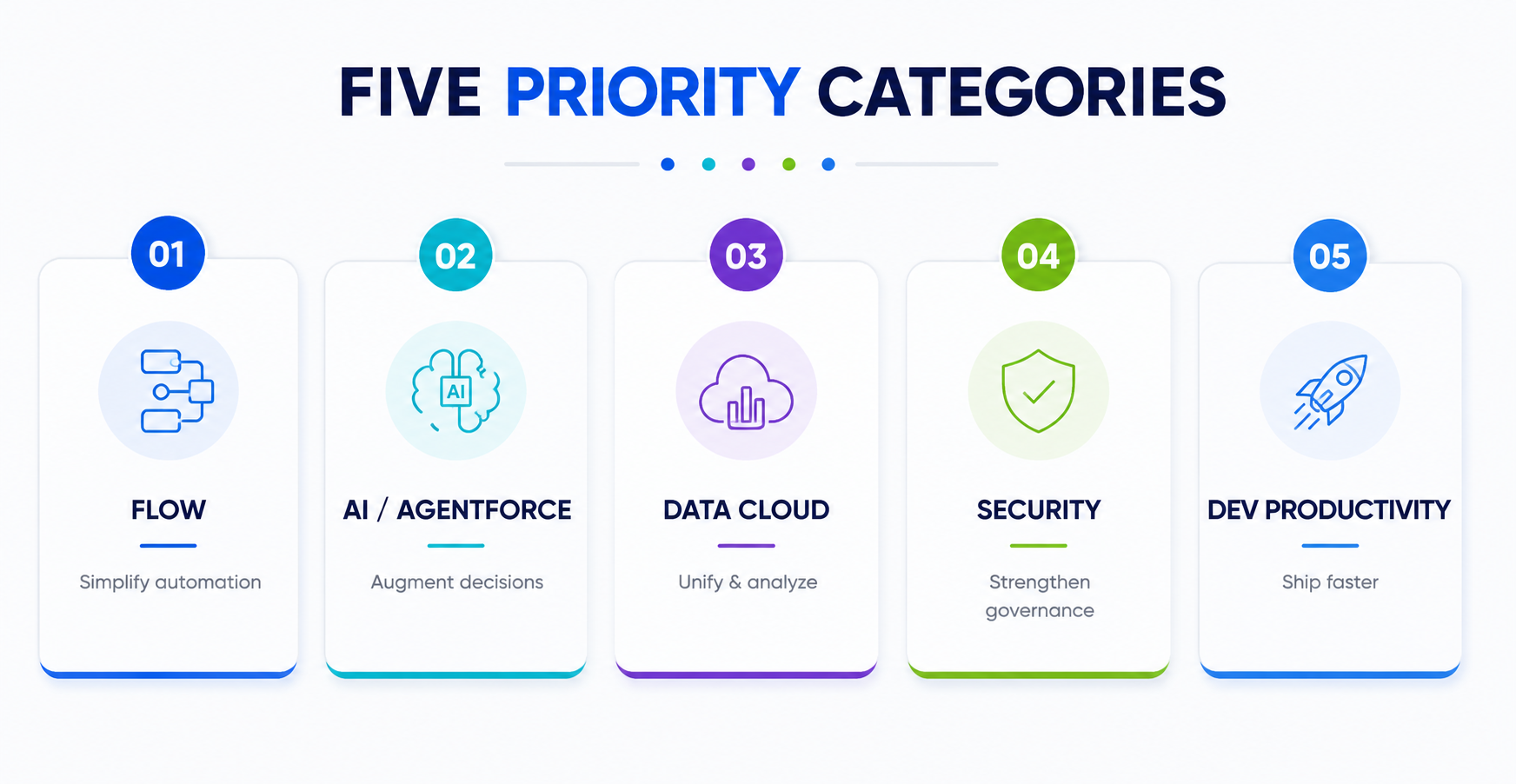
Flow has become the center of Salesforce automation. Each release typically introduces improvements in debugging, collections, orchestration, fault handling, and usability. These enhancements often allow teams to simplify existing automation and reduce Apex dependencies.
AI features are evolving from productivity tools into workflow automation capabilities. The important question is not whether AI exists, but whether it can reduce effort, improve service, support sales teams, or automate decision-making while maintaining governance and security.
Unified customer data and real-time insights are becoming increasingly important. Enhancements in reporting, dashboards, data integration, and identity resolution can deliver significant value even for organizations that are only beginning their Data Cloud journey.
Security updates often prevent future implementation problems. Permission Set enhancements, session security improvements, MFA changes, and sharing updates are usually worth reviewing carefully because they affect governance and compliance across the entire organization.
Small platform improvements can save developers hours of work. LWC enhancements, Apex improvements, DevOps features, CLI updates, and testing enhancements may not be visible to end users, but they improve delivery speed and code quality across projects.
Instead of reading the entire release document, I use a structured 30-minute review process.
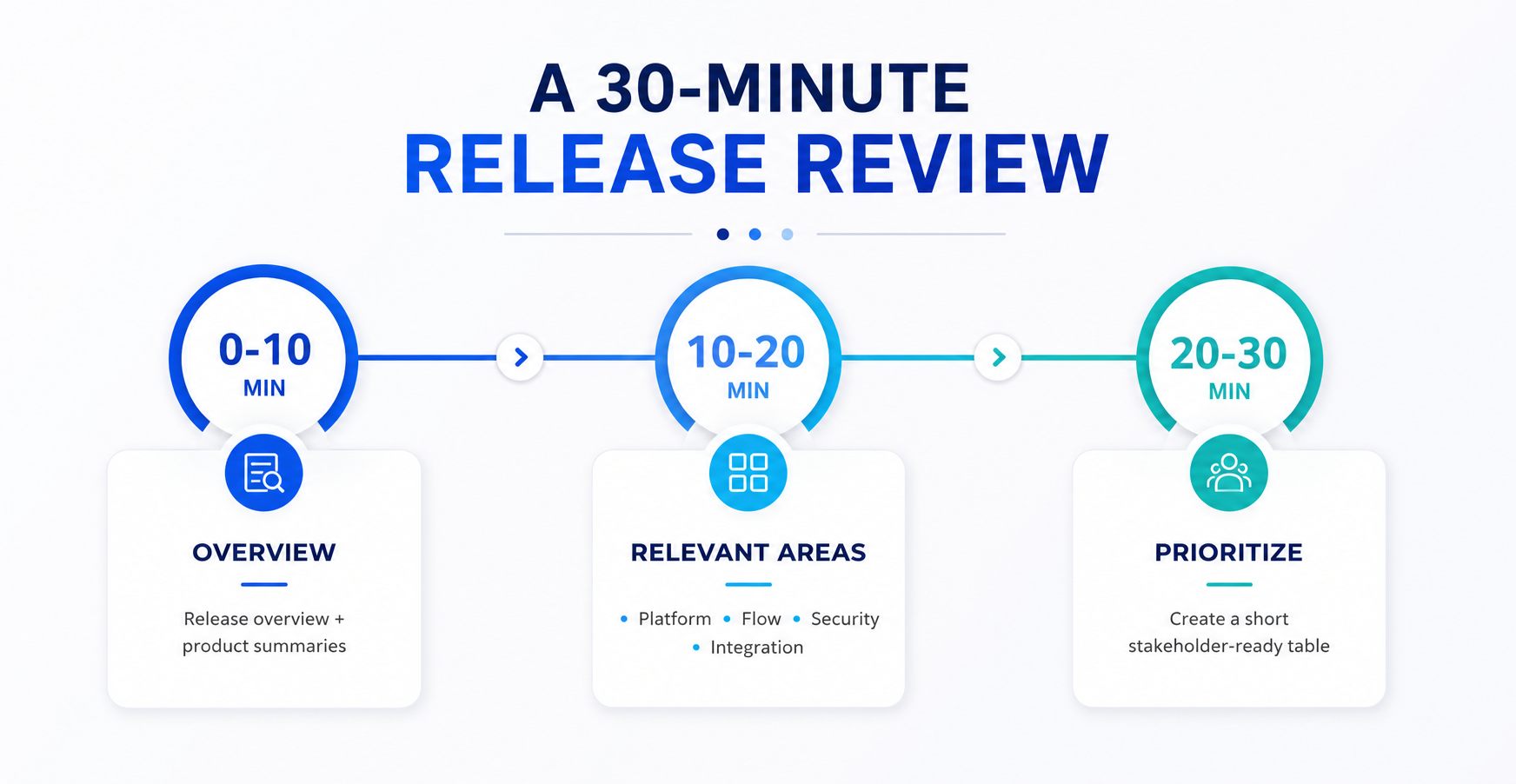
First 10 minutes: Read the release overview and product summaries.
Next 10 minutes: Review only the areas relevant to our organization—typically Platform, Flow, Security, Integration, Sales Cloud, and Service Cloud.
Final 10 minutes: Create a simple prioritization table.
This immediately identifies the three to five items worth discussing with stakeholders.
One practice that works particularly well is dividing the release notes across the team.
For Example:
Each person spends 20–30 minutes reviewing their section and then presents a five-minute summary covering:
In less than an hour, the entire team gains a practical understanding of the release without anyone reading hundreds of pages individually.
Salesforce releases are becoming larger every year, especially with the rapid expansion of AI, Agentforce, and Data Cloud capabilities. Trying to keep up with every feature is unrealistic.
The goal is not to know everything Salesforce releases. The goal is to consistently identify the few features that reduce manual work, lower technical debt, improve performance, increase user adoption, and align with Salesforce’s future direction.
The next time a Salesforce release drops, don’t ask “What’s new?” Ask “Which five features will make our users faster, our org simpler, and our delivery more effective?”
That single question can turn release notes from an overwhelming document into a practical roadmap for continuous improvement.
Key Takeaway : “The goal is not to know everything Salesforce releases.”
Level 3, Customs House, 31 Alfred St, Sydney, NSW 2000
Level 3, 162 Collins Street, Melbourne VIC 3000
Office 413-415, 4th Floor, Signature Tower, Lal Kothi Scheme, DC II, Tonk Road, Jaipur - 302015
Tower B, Office No - 1604, 16th Floor, Mont Claire Office Spaces by Mont Vert, Baner-Pashan Link Road, Pune - 411021
Level 3, Customs House, 31 Alfred St, Sydney, NSW 2000
Level 3, 162 Collins Street, Melbourne VIC 3000
Office 413-415, 4th Floor, Signature Tower, Lal Kothi Scheme, DC II, Tonk Road, Jaipur - 302015
Tower B, Office No - 1604, 16th Floor, Mont Claire Office Spaces by Mont Vert, Baner-Pashan Link Road, Pune - 411021